Sign up free — 100 credits, no card

Storyboard to Video AI

Storyboard to video AI is two different jobs under one name: animating frames you already have, and carrying a board you are still deciding on all the way to finished footage. Reelfo is built for the second. The storyboard is the plan the video is made from, and you look at it before you pay for any motion.

Video
How It Works

Key Features

01

The board is the plan, not a picture of it

Each numbered shot carries a camera note, an action line and the list of characters in it. The frames are drawn from that structure, and the video is made from the same structure — so what you approve in the storyboard is what gets filmed.

02

The same cast in every frame

A character is drawn once and that image is attached to every shot they appear in, on the eleven video models that take a reference image. The cast does not change between frame one and the last clip.

03

Look first, pay for motion second

A frame costs an image; a clip costs seconds of video. Framing, casting and wardrobe get decided at the frame, where a mistake is cheap, and the video stage shows its price before it spends anything.

Two jobs called storyboard to video

Search for storyboard to video and you will find two kinds of tool. The first animates frames you already have: you bring a drawn or generated board, and each frame becomes a short clip. The second makes the board and the footage in one pipeline, so the frames are an intermediate step you approve rather than a deliverable you hand over.

Both are legitimate, and they suit different people. If a storyboard artist has drawn forty frames and you want each one to move, the first kind is the right shape: upload a frame, add a motion prompt, and the video workspace returns a clip, one frame at a time. If you are still deciding what the film is, the second kind saves you the most, because the expensive stage is the one that happens last.

This page is about the second kind. It describes what happens between an approved board and a finished video, and what it costs.
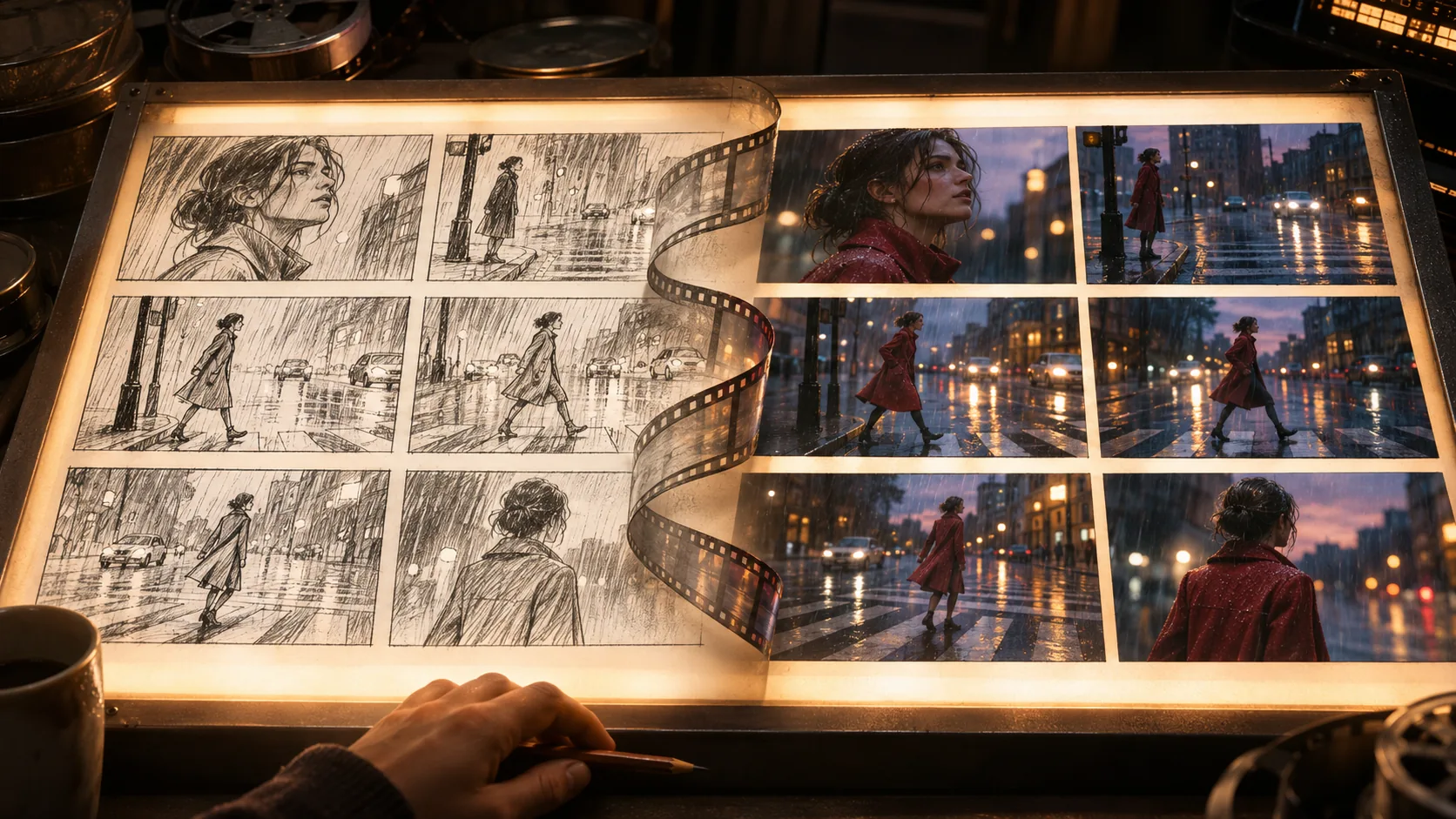
From storyboard to finished video

Every stage writes a revision you can read and change. An edit re-runs only the stages after it, so changing one shot does not redo the whole film.

  1. 1
    The shot list

    The script is broken into numbered shots, each with a camera note, an action line and the characters present. This is the storyboard in table form, and it is fully editable: change a shot before anything is drawn.

  2. 2
    One frame per shot

    A still is drawn for every shot with the character references attached, so you can see the framing and the cast before committing to video. Models that bind references directly skip this stage rather than charging you for an image they would not read.

  3. 3
    Check the board

    This is the cheap place to be wrong. A bad likeness, a wrong costume or a framing that does not cut costs one image to redo here and a full clip to redo later. Change the shot, draw the frame again, and move on.

  4. 4
    Video, from the approved frames

    Each shot is dispatched to the chosen video model with its frame and its character references. This is the stage with a confirmation, because it is the one that costs real money, and the price is shown first.

  5. 5
    Final cut

    The clips are joined in order with the audio mixed in. The video stream is copied through untouched: no re-encode, no overlay, no watermark.

Which models can carry a board

Eleven video models take character reference images, and those are the ones that can hold a cast across a whole storyboard. Reference slots is how many distinct characters one shot can be given; a two-hander needs two. Everything here is read from the live model registry.

ModelReference slotsClip lengthPrice / 5s
Grok Imagine Video76–10s90 cr ($0.23)
HeyGen Video96–15s100 cr ($0.25)
Seedance 2.0 Mini94–15s196 cr ($0.49)
MiniMax H395–15s300 cr ($0.75)
PixVerse C171–15s325 cr ($0.81)
Kling O343–15s560 cr ($1.40)
Kling V3.043–15s630 cr ($1.57)
Vidu Q341–16s770 cr ($1.93)
Seedance 2.094–15s1517 cr ($3.79)
Veo 3.138–8s2000 cr ($5.00)
Seedance 2.5304–30s2365 cr ($5.91)

Credit prices are what Reelfo charges; a shot longer than five seconds scales from this rate.

The models that start from a frame only

Hailuo 2.3, Wan 3.0, HappyHorse 1.0 take a starting frame and nothing else. They animate one image well — Grok Imagine Video is the cheapest clip in the roster — but they cannot be handed a cast, so a character in shot four is whoever the model draws from the frame it was given.

That makes them the right tool for a single clip and the wrong one for a board with the same people in many shots. For a storyboard that has to hold together, pick from the table above.

What a storyboard costs to turn into video

A credit is $0.0025 at the Starter rate, and video is billed per second of output at the model's own rate. A five-shot board at eight seconds a shot works out to 2,600 credits ($6.50) on PixVerse C1, 4,480 credits ($11.20) on Kling O3, or 12,136 credits ($30.34) on Seedance 2.0.

The frames are the cheap part: GPT Image 2.5 at 6 credits an image, GPT Image 2 at 9 credits an image, GPT Image 2.6 Flare at 25 credits an image, GPT Image 2.6 Sunburst at 25 credits an image, Seedream 5.0 Pro at 36 credits an image, Nano Banana Pro at 40 credits an image. That is why every decision you might change sits in front of the video stage rather than behind it.

Bringing your own frames

If you already have the board, the video workspace takes an image and a motion prompt and returns a clip, with output between 3 and 10 seconds depending on the model. That is image to video, one frame at a time, and it works with a drawn frame as well as a generated one.

What it does not do is the part the pipeline automates: attaching the same character references to every shot, keeping the shot list as the single plan, and cutting the clips together in order. A board you drew yourself goes through the video workspace frame by frame; a board made in Reelfo goes through the whole pipeline.

Trying it free, and the limits

Signing up puts 100 credits in your account, once, with no card. For a typical short story that is enough to go from your idea to a storyboard — the story brief, the script, the cast images and the shot plan — or, if you would rather, about 16 images in the image studio. A longer script or a bigger cast can use it up first, and the video itself is bought with credits.

You have to sign in; there is no anonymous mode. A clip is a few seconds, and a finished video is a sequence of shots cut together, not one unbroken take — no current model holds a continuous minute.

Reelfo does not stamp a watermark on anything it renders. The compose step copies the video stream through untouched — there is no overlay filter in the pipeline to apply one.

FAQ

Frequently Asked Questions

Related

You might also like

Start creating today

Sign in and your first 100 credits are already there — no card needed.

Storyboard to Video AI — From Approved Frames to Footage | Reelfo